
Transcribe video & audio, entirely on your Mac.
Drop in a file and get an accurate, timestamped transcript in seconds — on-device, nothing uploaded. Click any line to jump there, ask it anything, and star the moments that matter.
Free & open source · Requires macOS 26 or later · Apple silicon
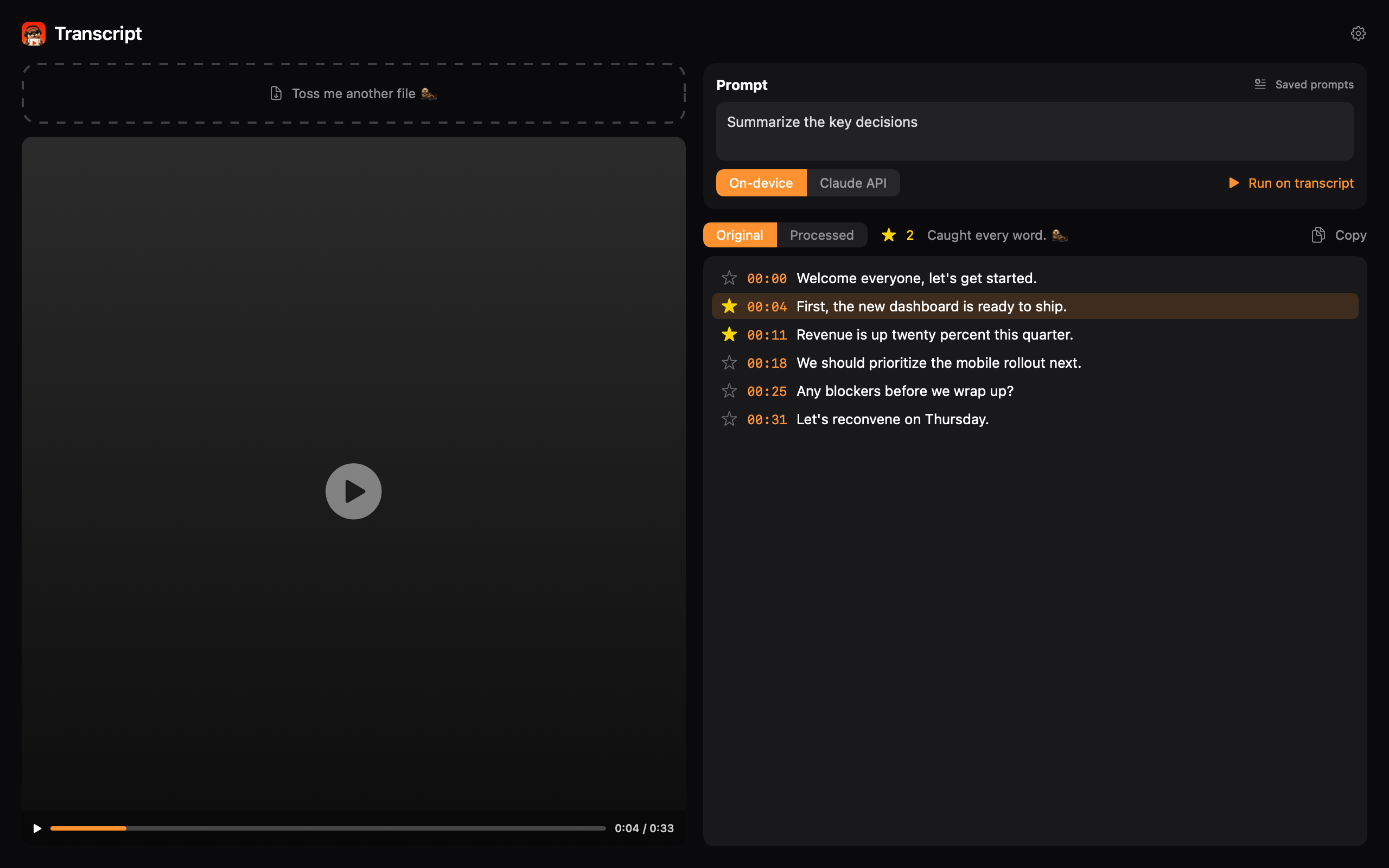
Everything happens on your Mac.
No accounts, no cloud, no upload. Just drop a file in.
Private by default
Transcribes with Apple's on-device speech models. Your media never leaves your Mac.
Timestamped, clickable
Every line is timestamped. Click a line — or press ↑/↓ — to jump the video to that exact moment.
Watch & read side by side
Video on the left, transcript on the right. The current line highlights as it plays.
Ask it anything
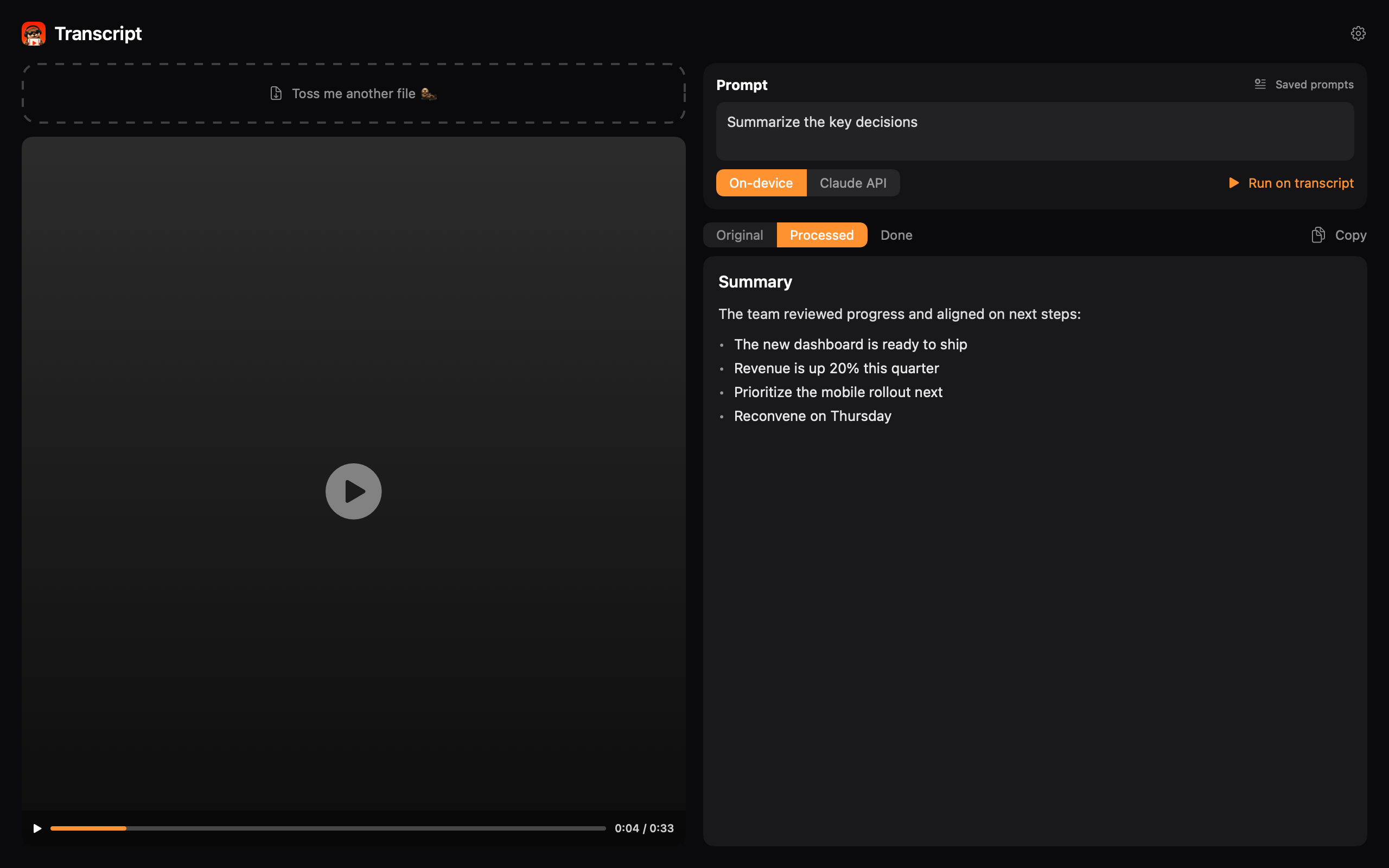
Run a prompt over the transcript with Apple's on-device model or Claude — summaries, action items, cleanups.
Star & export for LLMs
Star key moments, then copy them as text or as an image of video stills — with matching “Frame N” labels.
Fast & friendly
Drag in a file or click to browse. Saved prompts, Markdown results, and automatic updates built in.
Turn talk into answers.
Pick a saved prompt or write your own, choose Apple's on-device model or Claude, and get a clean Markdown result next to the original — summaries, action items, a tidy edit, whatever you need.
- › On-device or Claude, your choice
- › Original / Processed tabs, side by side
- › Reusable prompt library
Get the transcript. Keep the privacy.
Free & open source · Requires macOS 26 or later · Apple silicon